Docker Desktop
~/Library/Containers/com.docker.docker/DataContainer data; last reviewed 3 years ago
Review
For software engineers & vibe coders
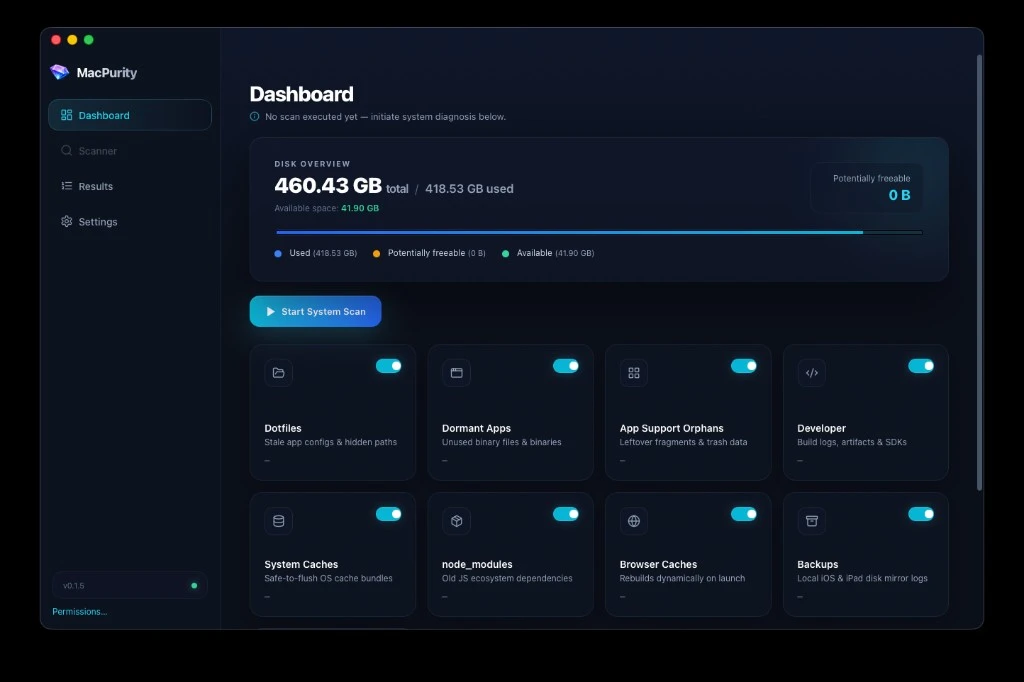
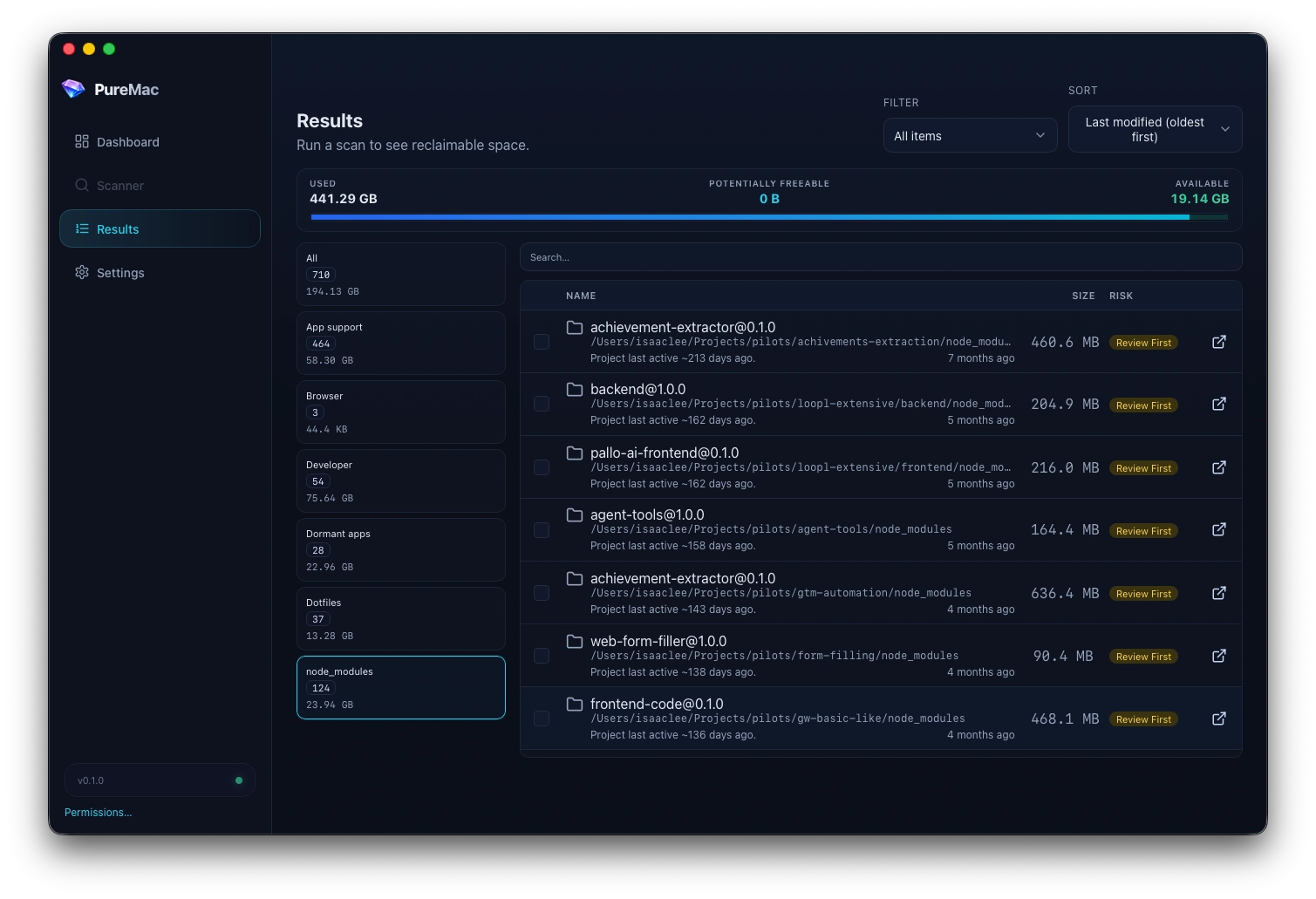
One scan on a real developer machine found 23.94 GB across 124 node_modules folders — plus Docker, package-manager caches, and leftover app support. Scan for free, review every path locally, and unlock deletion with a one-time purchase.
Scanning is free. Deletion requires a one-time $9 purchase. · No subscription · No account
v0.1.5 · 18 MB · Apple Silicon & Intel · DevDisk.0.1.5.dmg
// 01 — usual suspects
Actual scan results — Docker at 60 GB, Claude app support at 21 GB, Yarn and npm caches in the teens. DevDisk is built around paths like these, not generic “system junk” lists.
Docker Desktop
~/Library/Containers/com.docker.docker/DataContainer data; last reviewed 3 years ago
Reviewnode_modules
~/Projects/**/node_modules124 folders; most untouched for months
ReviewClaude
~/Library/Application Support/ClaudeLeftover app support with no obvious associated app
ReviewYarn cache
~/Library/Caches/YarnUser cache folder — the OS and apps recreate as needed
Removenpm
~/.npmPackage store — next install re-downloads
ReviewXcode
/Applications/Xcode.appNo last-used metadata — review before removing
ReviewUser cache
~/.cacheMixed dev caches; last touched 5 hours ago
ReviewThe node_modules epidemic
124 folders, most untouched for months. Scan free — unlock deletion for $9.
Real scan from a dev Mac
// 02 — built for your stack
DevDisk categories map to how engineers actually fill a disk — prototypes, dependencies, toolchains, and the caches that survive every framework phase.
Find every install tree under your home folder — including the repos you cloned once and never opened again.
find ~ -name node_modules -prunenpm, pnpm, yarn, pip, and Homebrew caches add up quietly. Surface them with size totals before you nuke.
~/.npm · ~/.pnpm-store · ~/Library/Caches/Homebrew.next, dist, build, target, and DerivedData folders from projects at every stage of existence.
.next/cache · DerivedData · target/debugDisk bar, category breakdown, and toggles for what the next scan should include — tuned for maintenance sessions.
dashboard.scan({ categories: [...] })Each item is marked Remove, Review, or Keep so you can decide what to delete. Scan for free; unlock Trash and permanent delete with a one-time purchase.
verdict: Remove | Review | KeepSee it in action
DevDisk surfaces the real offenders from an actual developer machine — Docker at 60 GB, Yarn and npm caches in the teens, orphaned app support, and the toolchain install you keep meaning to audit.
$ devdisk scan --home ~/ --categories dev,caches,large
// 03 — workflow
Built for the Sunday reset before you clone another repo or spin up a new Docker stack.
Open the dashboard, see used vs free space, and pick categories — node_modules, dev caches, dotfiles, large files.
Rust backend walks your home folder with live progress. Go grab coffee; your disk won't.
Sort by size, filter by category, reveal in Finder. That 6 GB .next folder from March? Yeah, that's the one.
Unlock deletion with a one-time $9 purchase, then select what to remove and move to Trash. No silent nukes, no cloud upload of your file tree.
Ready when you are
Download the DMG and see what's actually filling your disk.
// pricing
No subscription, no account. Download, scan your disk, and unlock deletion when you're ready.
See what's eating your disk
$0
Actually reclaim the space
$9
one-time
Scanning is free. Deletion requires a one-time $9 purchase.